View Pallets - Browse Pallet Database
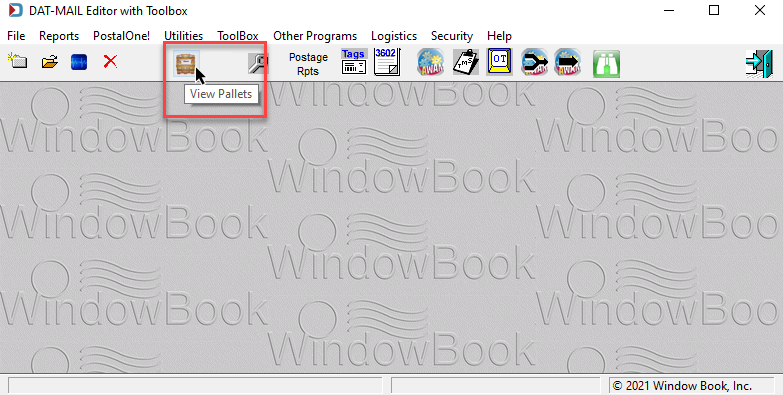
Once Pallet Tracking has been enabled, the Browse Pallet Database screen can be launched by using  View Pallet located in the icon bar on DAT-MAIL's main screen. The following pages will cover the information you see, how to filter the data and update it.
The pallet icon will not display on the screen until the Pallet Tracking option is enabled.
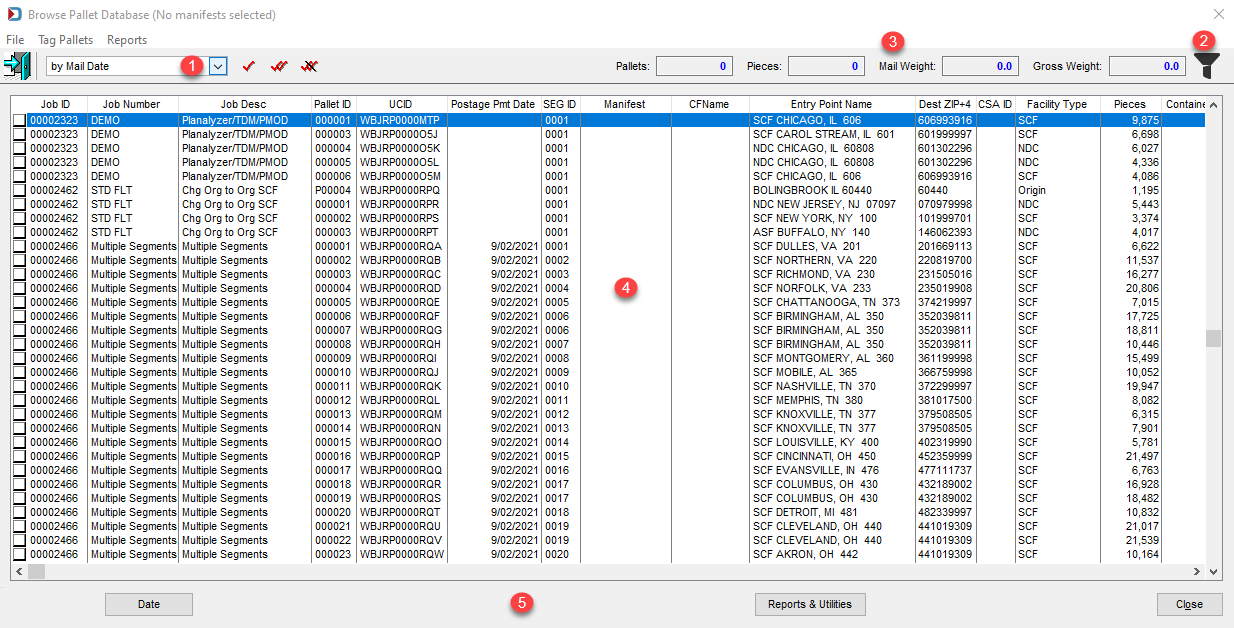
Description of Browse Pallet Database Screen
The Browse Pallet Database screen lists all of the pallets associated with palletized jobs in the system.
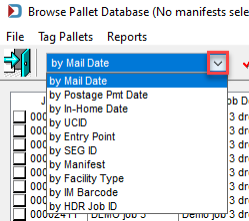
Sort Order
The pallet list can be sorted by selecting a sort option from the list provided  . The default is by Mail Date.
Filter Options
The pallets that display can be controlled using the filter function  (
( = No filter has been applied; or
  = Filter has been applied).
Filter Options:
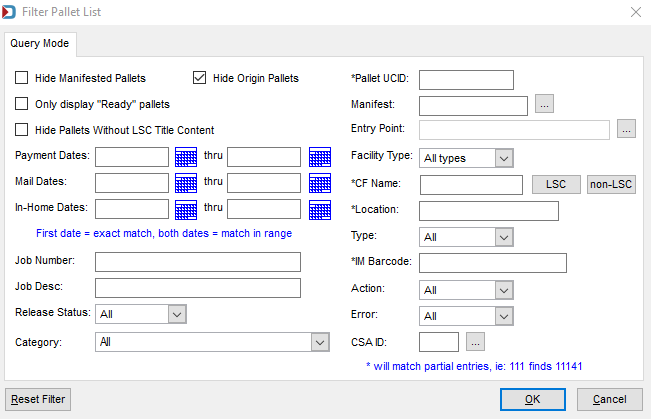
Filter Pallet List view - here are the relevant fields relevant for Editor users:
Hide Origin Pallets: Deselect this checkbox if you want to set dates on Origin mail too.
All the date fields: If you are looking for pallets shipping on a given day, this allows you to filter.
Job Number: This will come in handy if you want to send a specific job to a carrier and want to export a CSV file for it.
Job Desc (Description): If you have a group of jobs that go together, enter part of the description that is the same to filter those jobs.
Category: This is the job category, and if this has been set up, you can filter to see only production jobs or any job category your Company set up.
Pallet UCID (User Container ID): This can be filtered to find a specific pallet or start a range of pallets.
Entry Point: click Browse, it opens the Drop Ship Facilities table to select the appropriate facility type tab and then an entry point,
Facility Type: Click the drop-down to filter by ADC, DDU, NDC, or SCF.
IM Barcode: Pallet Intelligent Mail barcode, and like Pallet UCID, you can enter the start of the barcode to filter. For example, 99M and the zip code to pull up all IMBs with that zip code.
CSA ID: If you have a Customer Supplier Agreement, you can filter by your ID if populated in the Mail.dat.
Reset Filter will let you clear out all the filters except the Hide Origin Pallets checkbox.